Smart Home for Beginners in 2026: What to Buy First, and the One Device to Skip
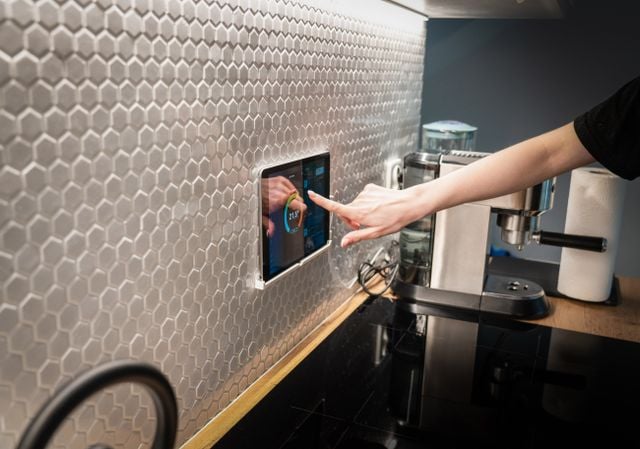
A first smart-home purchase in an order that makes sense, with prices from the manufacturers' own stores, one device we would tell a beginner to avoid, and the reason cameras come last.
Most beginner guides start with a hub and a shopping list. This one starts with an order of operations, because the mistake that costs money is not buying the wrong bulb, it is buying six things at once from four companies and discovering afterwards which of them talk to each other. Every price below comes from a manufacturer’s own store or its own plans page, checked on 1 September 2026. One entry is a device we would actively steer a beginner away from, and it is a well-reviewed product that many guides recommend.
Numbers to budget for
- Philips Hue Essential starter kit, two E26 bulbs plus a Hue Bridge: 99.99 dollars. The four-bulb version is 119.99.
- Hue Bridge on its own: 69.99 dollars, rated for 50 lights and 12 accessories. Hue Bridge Pro: 139.99 dollars, rated for 150-plus lights and 50-plus accessories.
- Aqara’s FP300 presence sensor was announced on 12 November 2025 at 50 dollars, battery-powered and Matter-capable over Thread or Zigbee.
- Wyze Cam Plus: 2.49 dollars a month or 29.99 a year, per camera. Cam Unlimited: 99.99 a year for all cameras.
- Google began removing Google Assistant on 4 September 2026, and says the process may take a few weeks to reach everyone.
Buy lighting first, because it is the only thing the whole house will use
Lighting is the right first purchase for an unglamorous reason: everyone in the building already knows what a light is for. A smart plug teaches you an app. A smart light teaches you whether anyone other than you will actually change their behaviour, which is the thing you cannot find out by reading.
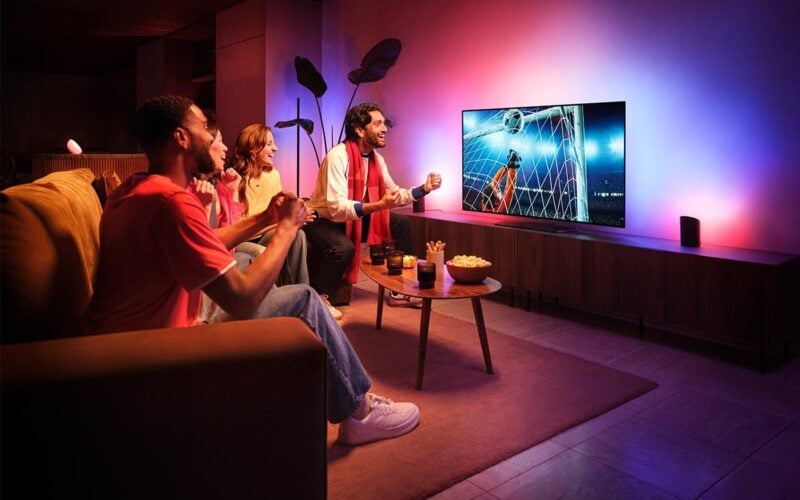
Signify’s own United States store lists an Essential starter kit with two E26 bulbs and a Hue Bridge at 99.99 dollars, and the four-bulb version at 119.99. Other kits on the same page reach 289.99 dollars for four colour-capable bulbs with the newer bridge. Start at the bottom of that range. Two rooms is enough to learn from, and the bulbs are the part you can add to later without throwing anything away.
The bridge decides what you can add for the next five years
Hue currently sells two bridges, and this is the only genuinely consequential decision in a starter kit. The standard Hue Bridge is 69.99 dollars and is rated for 50 lights and 12 accessories. The Bridge Pro is 139.99 dollars and is rated for more than 150 lights and more than 50 accessories, and it is the one that carries MotionAware, the feature that turns existing bulbs into motion detection.
For a first purchase in a flat or a small house, the cheaper bridge is not a compromise. Fifty lights is a lot of lights. The reason to think about it at all is that the bridge, not the bulbs, is what determines your ceiling, and replacing it later means paying the full 139.99 rather than the difference.
The gadget we would tell a beginner to skip
Presence sensors are the current enthusiast favourite, and the Aqara Presence Sensor FP2 is the one most often named. It is a bad first purchase, and the clearest evidence comes from a reviewer who liked it.
Reviewed spent roughly two hours across multiple sessions getting the FP2 set up, and listed very difficult to set up as its primary criticism. The automatic room-edge detection failed completely, forcing a manual wall-by-wall mapping exercise on an in-app grid that refreshed so slowly it required repeated force-closes of the app. Reviewed’s verdict was a conditional maybe, aimed only at people willing to tinker a lot.
The zone features that justify the price are also the least portable part of it. Reviewed found no native support for presence zones in Apple’s Home app, complex automations needing Apple Shortcuts, and Alexa and Google Assistant unable to make full use of the zones at all. A beginner buying into a voice assistant will therefore pay for capability the assistant cannot reach.
If the idea appeals anyway, note what Aqara itself released afterwards. MacRumors reported the Presence Multi-Sensor FP300 on 12 November 2025 at 50 dollars: battery-powered on two CR2450 cells with a claimed two years or more of life, dual millimetre-wave and infrared sensing, and Matter support over both Thread and Zigbee, so it can join Apple Home without a hub. It gives up multi-person detection, sleep tracking and fall detection. For a first sensor, that is a trade most people should take.
Voice assistants are the least settled thing you can buy this month
This is an awkward week to recommend a voice assistant. Google began removing access to Google Assistant on 4 September 2026, three days after this article was checked, across Android phones and tablets, Wear OS watches and paired devices, and says the process may take a few weeks to reach everyone. Tom’s Guide notes the change is one-way: once it is removed, you will no longer be able to use or switch back to Google Assistant. Google TV and Google Home devices keep Assistant for now.
The practical advice for a beginner is not to pick a side yet. Buy devices that work through more than one assistant, keep the number of voice-dependent automations low for a few months, and let the transition settle before building routines you would be annoyed to rebuild.
The camera goes last, and the plan page matters more than the product page
Cameras are the purchase most beginner guides put first and the one that should come last, because they are the only category here that quietly adds a recurring bill to a household budget.
Wyze’s own service-plans page is a fair illustration of the real cost. Cam Plus is 2.49 dollars a month or 29.99 a year, per camera, and covers 14 days of cloud event history with person, vehicle, package and pet detection. Cam Unlimited is 8.33 a month or 99.99 a year and covers unlimited cameras. Cam Unlimited Pro is 16.67 a month or 199.99 a year and adds 60-day cloud recording and emergency dispatch. A 60-day add-on for a single camera is 2.99 a month.
Worth knowing before you commit: that plans page does not document the free tier at all. It states no free-tier capabilities and no clip limits. Whatever a camera does without a subscription, the company selling the subscription is not writing it down, and that asymmetry is the single best argument for reading the plans page before the product page.
A first year, in order
- Buy a two-bulb lighting kit with the cheaper bridge, around 99.99 dollars, and live with it for a month before buying anything else.
- Add bulbs, not brands. Expanding the system you already have costs less in setup time than any second app will.
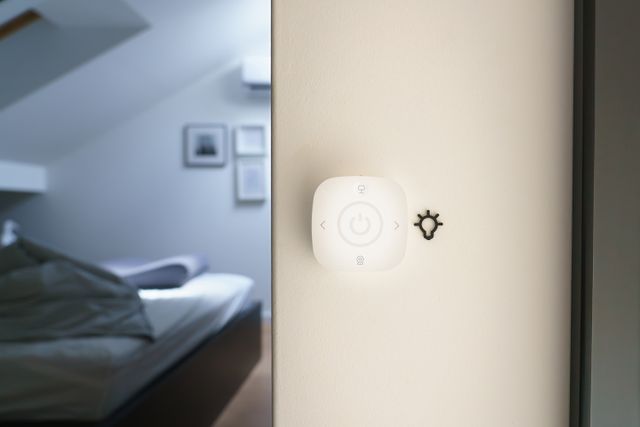
- Add a switch or dial so that other people in the house can use the lights without a phone. This is the step that decides whether the household adopts any of it.
- Only then consider sensors, and choose a battery-powered Matter one over a wired one that needs a proprietary app for its best features.
- Add a camera last, after reading the subscription page, and treat the annual plan as part of the purchase price rather than an extra.
Sources: Philips Hue · Philips Hue · Reviewed · MacRumors · Tom’s Guide · Wyze
Articles on Read Vault are researched and written by the site’s editorial team.